



|
Name |
Kiwi Browser |
|---|---|
|
Category |
Tools |
|
Developer |
Kiwi Browser Inc |
| Last version | 132.0.6961.0 |
|
Updated |
|
|
Compatible with |
Android 7.0+ |
Introduction to Kiwi Browser APK
Kiwi Browser is a mobile web browser app designed for fast and private internet access. It focuses on speed, built-in blocking tools, and support for extensions, giving users a more flexible browsing setup than many default browsers.
The app is mainly used for everyday web browsing, from reading articles to watching videos and accessing online services. It aims to reduce loading time so pages open quickly, even on slower connections. This makes it useful for people who want a smooth and responsive browsing experience without constant delays.
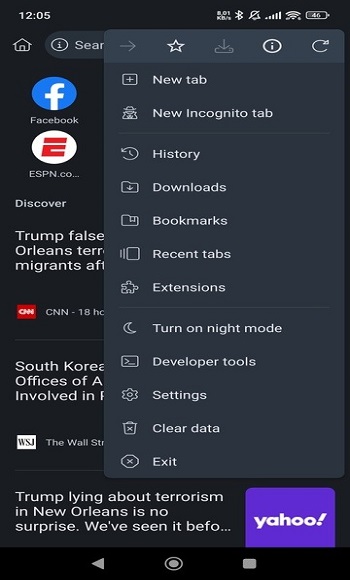
One standout feature is its built-in ad blocker and tracking protection. These tools help remove intrusive ads and limit background tracking, which can make pages cleaner and slightly faster. Kiwi Browser also supports Chrome extensions, which is rare on mobile. This means users can add tools like password managers or custom themes directly into the browser.
Privacy is another key part of the app. It offers incognito browsing that avoids saving history, along with options to reduce data tracking. There’s also mention of VPN-style proxy features, which aim to hide IP addresses and keep browsing activity less visible, though performance and reliability may vary depending on usage.
The advantages are clear: faster page loading, fewer ads, and more control through extensions. The interface is simple, so it doesn’t take long to get used to. For users who enjoy customizing their browsing setup or want more control than standard browsers offer, Kiwi can feel refreshing.
There are some limitations to keep in mind. Extension support can sometimes affect stability, especially with heavier add-ons. The built-in VPN proxy features may not match dedicated VPN apps in speed or consistency. Also, since it focuses on privacy and customization, some features may require manual setup.
Kiwi Browser fits users who browse frequently on mobile and want more control over how pages load and behave. It’s especially useful for students, remote workers, or anyone dealing with lots of online content daily.
FAQs Kiwi Browser
What is Kiwi Browser used for?
+
Kiwi Browser is used for fast web browsing on mobile, with features like ad blocking, privacy tools, and support for Chrome extensions.
Does Kiwi Browser support Chrome extensions?
+
Yes, Kiwi Browser allows users to install and use many Chrome extensions directly on mobile devices.
Is Kiwi Browser safe for private browsing?
+
It includes incognito mode and tracking protection, which help improve privacy, though it’s not a full replacement for advanced security tools.
Does Kiwi Browser have a built-in ad blocker?
+
Yes, it comes with a built-in ad blocker that removes most ads and trackers while browsing.
Who should use Kiwi Browser?
+
It suits users who want faster browsing, fewer ads, and the ability to customize their browser with extensions on mobile.
Discover More Interesting Apps
-

Surfshark VPN
v3.36.0
171.00 Mb
Updated -
Mod
1DM
v20.0
109.36 Mb
Updated -
Privacy Display
v1.9.3
6.63 Mb
Updated -
Mod
Hola VPN
vTV_1.260.259
31.69 Mb
Updated -
Mod
Free Fire Max Panel Headshot
v3.0
27161655
Updated -
Mod
Melon VPN
v9.1.079
18.08 Mb
Updated -
Mod
SWAP - No ROOT
vv4.9.1
8.61 Mb
Updated -
Mod
SHAREit
v6.27.58_ww
70.80 Mb
Updated -
Mod
Nzb360
v25.2.1
14.36 Mb
Updated -
PDF Editor
v6.4.3
79.64 Mb
Updated










Share Your Thoughts